Drop the file. Replay the bug.
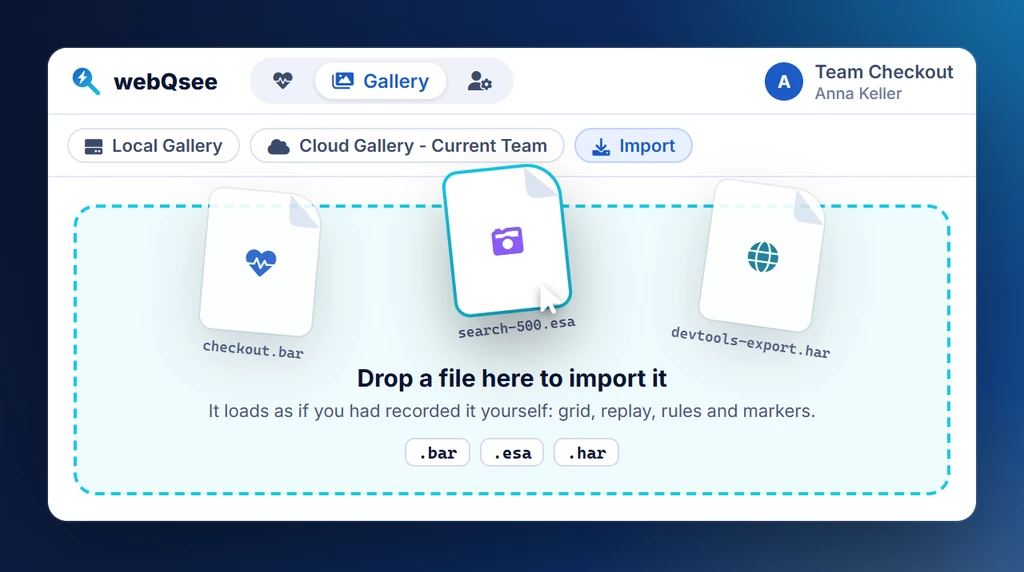
Drag a teammate's .bar or .esa, or a plain .har from any other tool, into webQsee and the capture loads as if you had recorded it yourself. The analyzer grid populates, the replay plays, the markers light up, no upload, no signup, no friction.
All free. No account required.
Importing is not a paid feature and never asks you to sign up. The single exception is noted below.
Event Snapshots (.esa)
Network requests, console output, WebSockets, SSEs, screenshot, cookies and environment metadata.
Best for: filing bug reports, handing a precise moment to a teammate.
Behavior Reports (.bar)
The full session replay, video, network, console, WebSockets and SSEs, synchronized on one timeline.
Best for: passing off a reproducible incident, post-mortems, "watch what happened" handoffs.
HTTP Archives (.har)
A HAR from Chrome DevTools, Firefox, Safari, Charles, Fiddler, Postman or a colleague's proxy. webQsee converts it into an Event Snapshot on the way in.
Best for: analyzing traffic somebody else captured, without asking them to install anything.
The one limit
Without a webQsee account you can import Behavior Reports up to 70 seconds long. Any free account lifts that completely, no subscription involved. Event Snapshots and HAR files have no such limit at all.
Drag it. Drop it. Done.
Open the webQsee main window. Drag a .bar, .esa or .har from your file manager anywhere in the window, or specifically onto the Import tab inside the Local Gallery if you want it filed in a particular collection.
webQsee detects the format, registers the capture as a new gallery entry, and opens it in the analyzer or the replay player as appropriate. The capture lives in your IndexedDB from that point on, it's yours, locally.
Two drop targets
- Import tab in the Local Gallery, clean, organised, with a confirmation step before the capture is registered.
- Anywhere in the main webQsee window, quickest path, the capture is registered immediately.
Imports at a glance.
| Format | Free (no account) | Free (logged in) | Pro / Studio / Enterprise |
|---|---|---|---|
Event Snapshot (.esa) | |||
HTTP Archive (.har) | |||
Behavior Report (.bar) | up to 70 seconds long | any length | any length |
Imported captures count against your Local Gallery cap: 15 items without an account, 30 with a free account, unlimited on any paid plan.
Stop guessing. Start webQseeing.
Add webQsee to Chrome or Edge in one click. Recording and replay are free, no signup needed. Upgrade when you need AI analyses, cloud sharing, S3 storage and Pro-grade tooling.
Works in Chrome 103+, Edge 103+ and most Chromium-based browsers. Install instructions.