What it sends, and where
A recording contains your application's real traffic, including tokens and cookies. This page says exactly what leaves your machine for each variant, what is masked, and what a shared link shows.
Estimated time: 10 min · Last reviewed: 2026-08 · Difficulty: Easy
Available now in the browser, and in the extension this autumn.
The AI analysis, the three webQsee AI strengths, Deep Inspection and the new plans are live today in webQsee web at view.webqsee.com: open a recording there, analyse it, and buy a plan or a booster if you want one. The Chrome and Edge extensions are in review and follow this autumn. Your recordings, your gallery and your account are the same in both, so nothing you do now has to be done again.
Where the recording goes, per variant
| Variant | What leaves your machine |
|---|---|
| Quick analysis, local endpoint | Nothing. The excerpt is posted to an address on your own machine. |
| Quick analysis, cloud provider | A budgeted excerpt: the highest-scoring moments, some response bodies, a few video frames. Masked by default. The API key goes to that provider and nowhere else. |
| Quick analysis, webQsee AI (any of the three strengths) | The same budgeted excerpt, but it goes to webQsee, which passes it to a model that writes the answer. Masked by default, because this is not an address on your machine however familiar the name is. webQsee stores no part of the request: the proxy keeps counters, an analysis id and the name of the model that answered, nothing else. There is no API key, because there is nothing for you to configure. Which model answers depends on the strength you picked, and the answer tells you afterwards which one it was. All three go to webQsee first and on through requesty.ai, on routes configured to keep nothing and train on nothing – but the strength does decide which provider writes the answer at the end of that chain, and today those are two different companies, both running the model inside the EU. The privacy policy names them. What does not change with the strength is the first hop, the masking default, or the fact that we store no part of the request. |
| Deep Inspection | The recording is handed to a local helper process on your machine. Whether anything then reaches a cloud model is decided by the agent you configured, not by webQsee. |
| Counting an analysis | One number and one id: that an analysis was started, and when. Never the question, never the answer, never the address of the model you pointed it at. That is what your plan's monthly allowance is counted against, and it is the reason the analysis needs an account. |
| The user journey | Since 9.1 a behavior report can also record what you did on the page while the video ran: clicks, where the mouse went, what you typed, scrolling, and the changes the page made in return. It is stored inside the recording and goes wherever the recording goes. What you typed is captured as text by default, password fields included, exactly like the form bodies the recording already holds; on the way to a model it is masked like those bodies are, and a password field is masked whenever masking is on at all. The recording options let you keep only the keys, or nothing from the keyboard, or switch the journey off; the quick analysis has its own switch for sending it. |
| Saving an analysis | Into the recording itself. For a cloud recording, the analysis file goes to your own cloud storage; webQsee's backend keeps a reference list of which analyses exist, never their content. |
Credential masking
Masking happens on the way out. The recording on disk is never modified, so turning masking on does not damage your archive and turning it off later does not need a re-recording.
The default depends on the destination: off for a model on your own machine, on for a cloud one, and on for webQsee AI. Both are switchable.
Masked
- Authorization and cookie headers
- Session cookies and their values
- Tokens by shape: JWTs,
Bearervalues, provider-style API keys - Parameters by name:
token,access_token,password,client_secretand their relatives, wherever they appear, including inside a page address, a redirect target and a form body
Deliberately not masked
- Hosts and IP addresses
- Request ids, hashes and ETags
- Header and parameter names
- Paths and status codes
These are analysis material. Masking them would cost you the answer without protecting anything.
Authorization: <<redacted>> and no Authorization header at all are completely different findings on a 401, and collapsing them would make the analysis worse at exactly the case where it matters most.<<redacted>> correctly. It means a value was there and was masked on the way out. It never means "nothing was sent". The model is told this too, so it does not read a masked token as a missing one.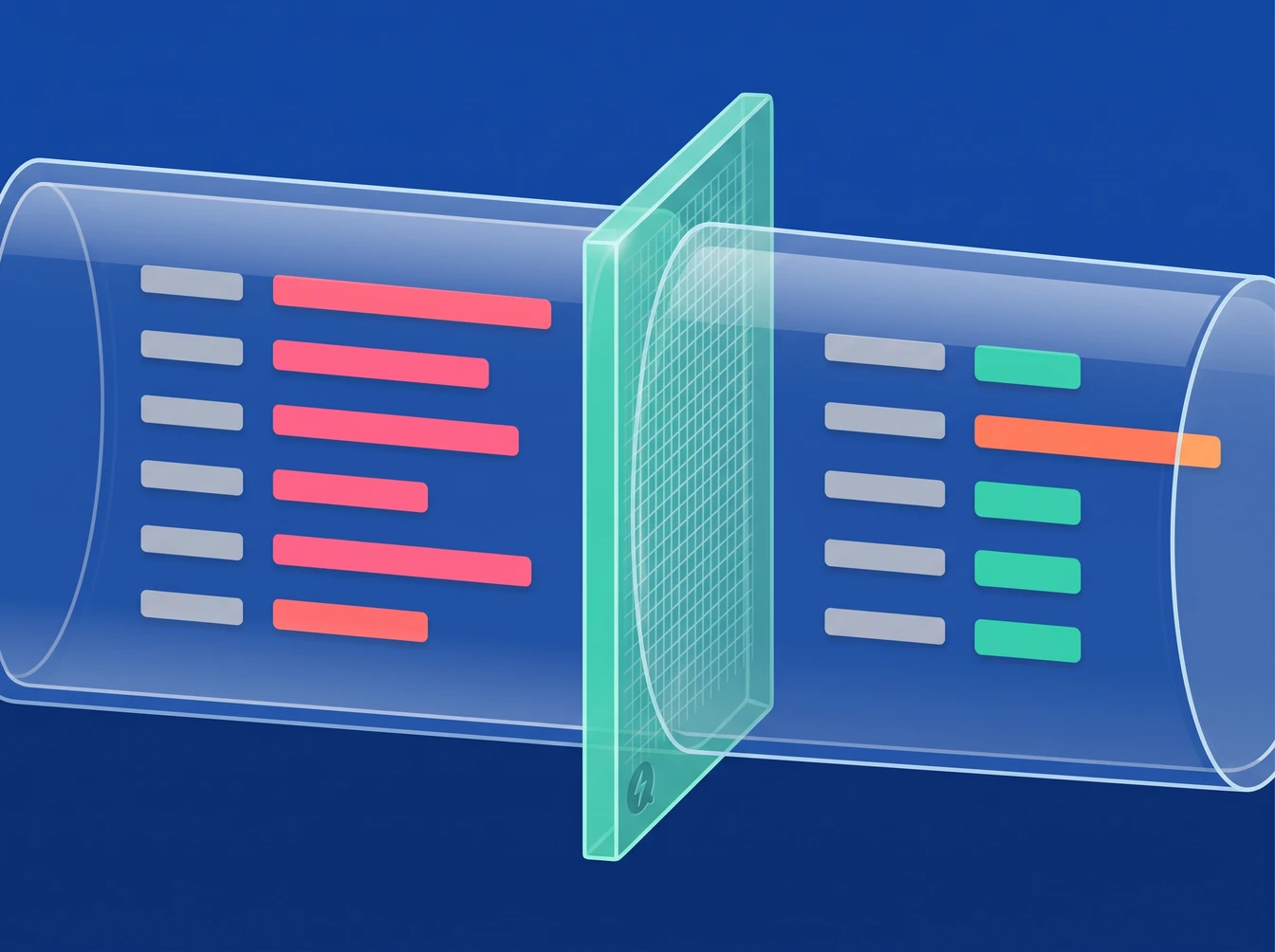
When the agent can read your code
Deep Inspection with a project mapped is the one case where an analysis can contain material that is not in the recording: source excerpts, file paths, configuration values. Masking does not reach any of it, because masking works on recording data on its way to the model, not on what an agent reads off your disk.
That is the feature rather than a leak, and it is the reason the join between behaviour and causing code is worth having. But it changes what a saved analysis is, so:
- An analysis made with project access is marked as such, and the marker travels with it.
- The mark records that a project was involved and its label, never the absolute path. Your directory layout is itself a disclosure in a shared link.
- When you create a public link for a recording carrying such an analysis, webQsee says so in one sentence at that moment. It does not block the share; it makes sure the decision is an informed one.
Files you attach to a question
In Deep Inspection you can attach your own files to a question, and a long paste becomes an attached text file. They go to the helper on your machine and nowhere else: webQsee does not upload them and does not keep them. The saved analysis records only their names and sizes, so it is clear afterwards that the answer leaned on them.
- The helper keeps them in its cache on your machine, like a pushed recording, until that cache is cleaned up.
- Whether their content then reaches a cloud model is decided by the agent you configured, exactly as for the recording.
- Masking reaches what the helper hands out as text or JSON; it cannot reach a picture, and an agent that opens a file with its own tools reads it as it is.
What a public sharing link shows
A public link shows the AI analyses stored with the recording. This is deliberate: the link already carries the recording itself, so withholding the conclusions would protect nothing while making the link far less useful.
Before you create one, three things are worth knowing:
- Anyone with the link sees the analysis, including any project source it quotes.
- Anyone with the link sees the user journey stored with the recording, typed text included where it was captured as text. webQsee says so in one sentence when you create the link to a recording that carries one.
- An analysis made without masking can quote credential values out of the recording's own traffic.
- A collection's link shows the analyses stored on the collection. Such an analysis can describe every item it read, including one that only you can open; webQsee says so in one sentence when you save it on a collection your team can see.
- If the item carries an analysis made on another device that this one has never fetched, webQsee says it could not check what that analysis contains, rather than reassuring you about something it has not read.
Where your keys and settings live
- The quick analysis API key is in the browser's own extension storage, per profile. It never reaches webQsee's backend or the helper.
- The helper's settings are in
~/.wqs/config.jsonon your machine, readable only by your user account. - Cloud storage credentials are never given to the helper. What it remembers is a pointer to where a recording lives plus the gallery row's own summary, so a terminal can reach a cloud recording without webQsee holding your storage keys.
Next
Stop guessing. Start webQseeing.
Add webQsee to Chrome or Edge in one click. Recording and replay are free, no signup needed. Upgrade when you need AI analyses, cloud sharing, S3 storage and Pro-grade tooling.
Works in Chrome 103+, Edge 103+ and most Chromium-based browsers. Install instructions.